# Authenticate a Node.js script with ArcGIS REST JS
> Use a client ID and secret from a backend Node.js script. ApplicationCredentialsManager gets the app token, renews it when it expires and adds it to every request.
Interactive version: http://www.rauljimenez.info/arcgis-tutorials/oauth-app-rest-js/
## About this demo
You will build a Node.js script, `app-auth.mjs`, that authenticates as an application, without a user, with OAuth 2.0 credentials and the client credentials flow:
* It exchanges a client ID and client secret for an app token with `ApplicationCredentialsManager` from [ArcGIS REST JS](https://developers.arcgis.com/arcgis-rest-js/).
* It calls the [portals/self](https://developers.arcgis.com/rest/users-groups-and-items/portal-self/) endpoint with that token and prints the privileges the token carries.
You will create the OAuth credentials in the portal first, then write the script that uses them.
Check prerequisites
You will need an ArcGIS Location Platform, ArcGIS Online, or ArcGIS Enterprise account that can create developer credentials. In ArcGIS Online and ArcGIS Enterprise, that means a user type of Creator or higher.
To run the script: Node.js 18 or later.
## Create the OAuth credentials
Create the credentials for your script in [your portal](https://developers.arcgis.com/documentation/glossary/arcgis-portal/):
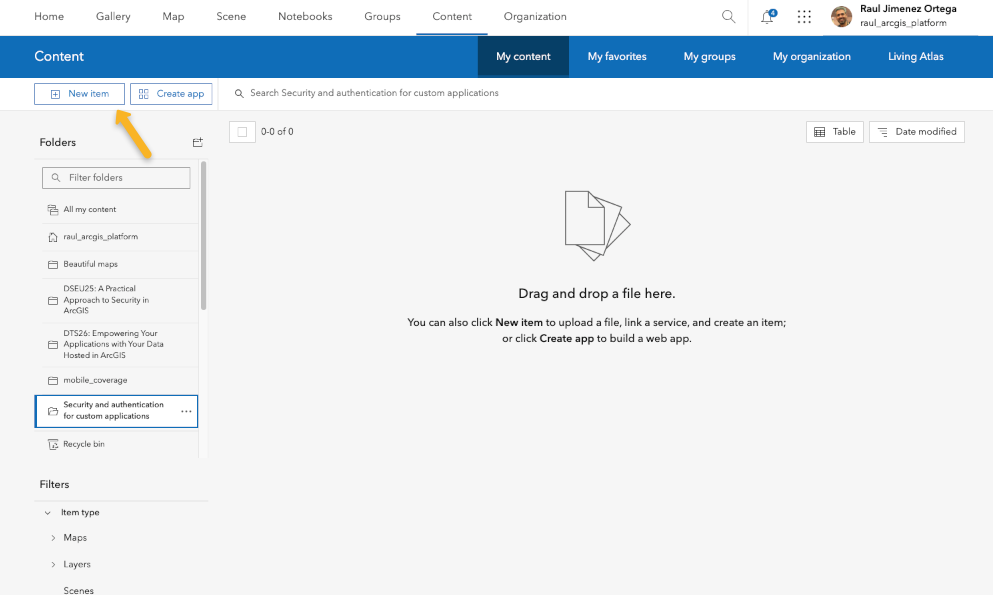
1. Go to **Content** > **My content** > **New item**.
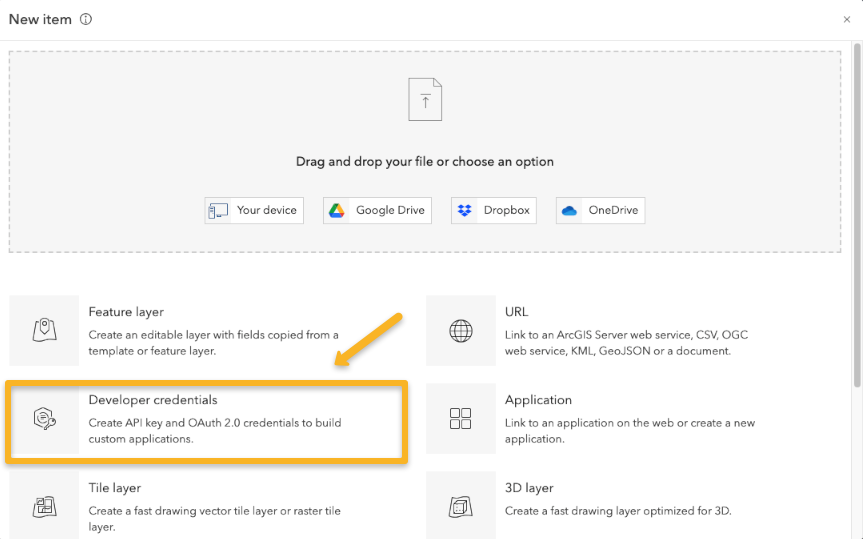
2. Click **Developer credentials**.
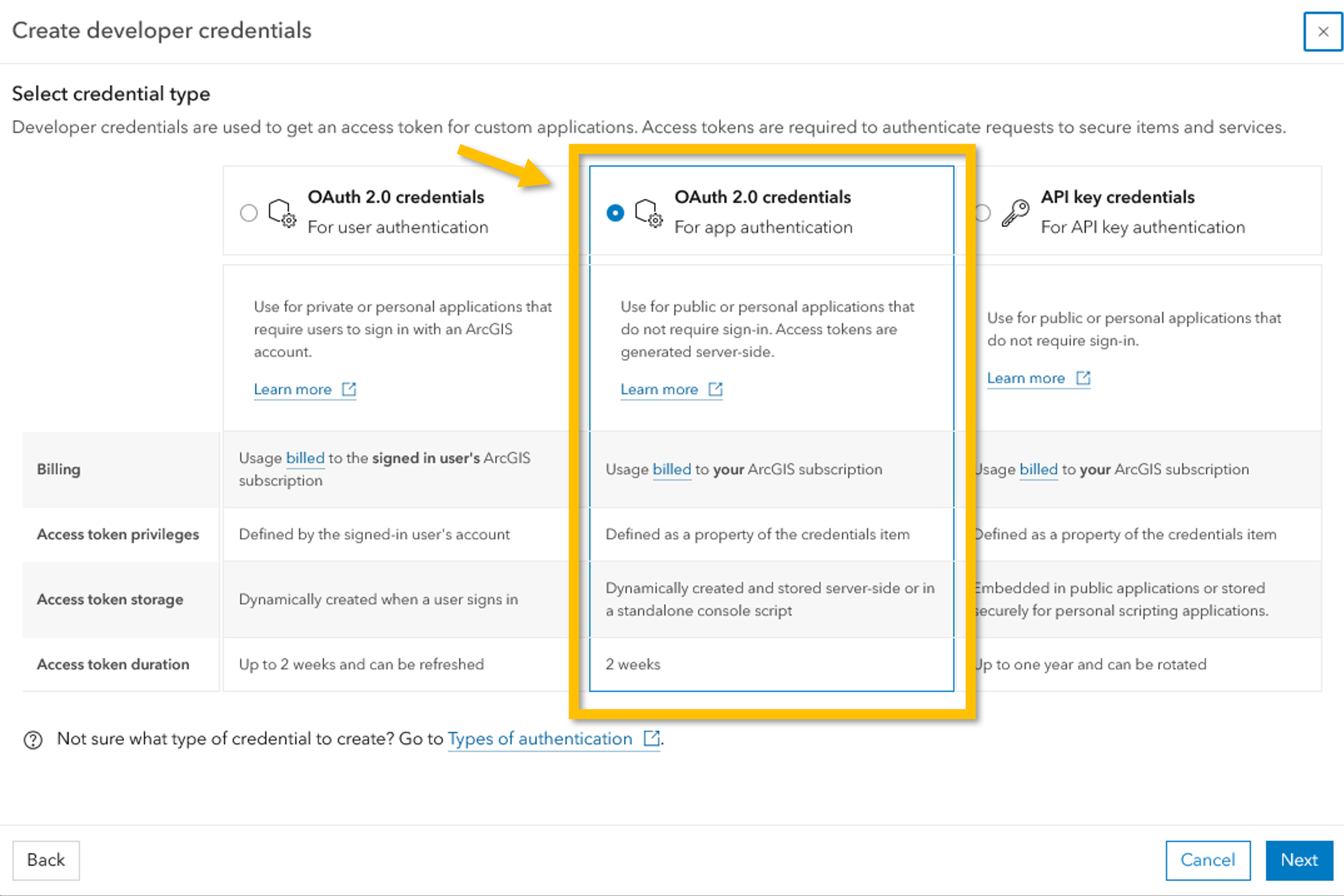
3. Select **OAuth 2.0 credentials (_For app authentication_)**.
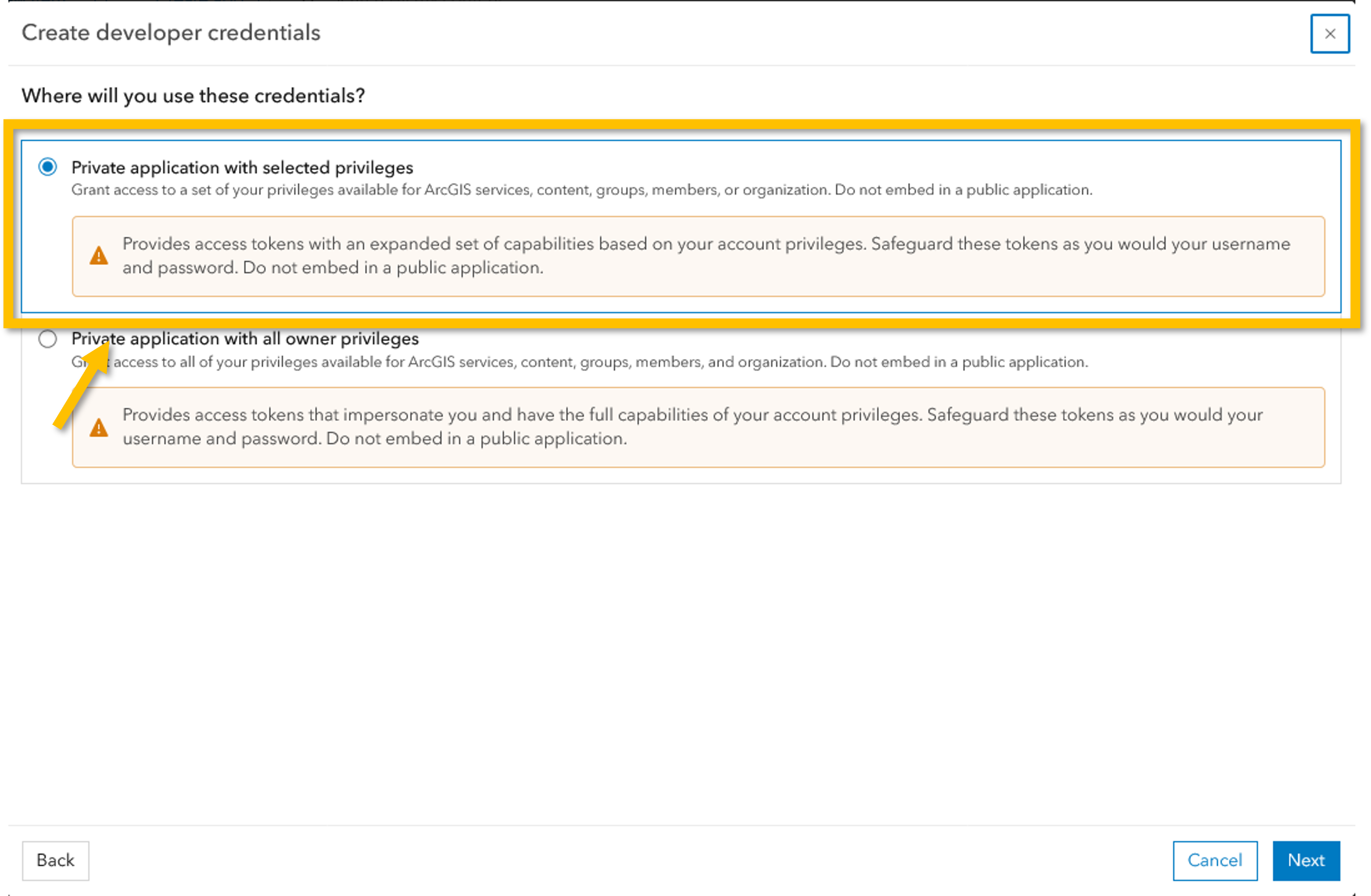
4. Select **Private application with selected privileges**, so the token gets only the privileges you grant.
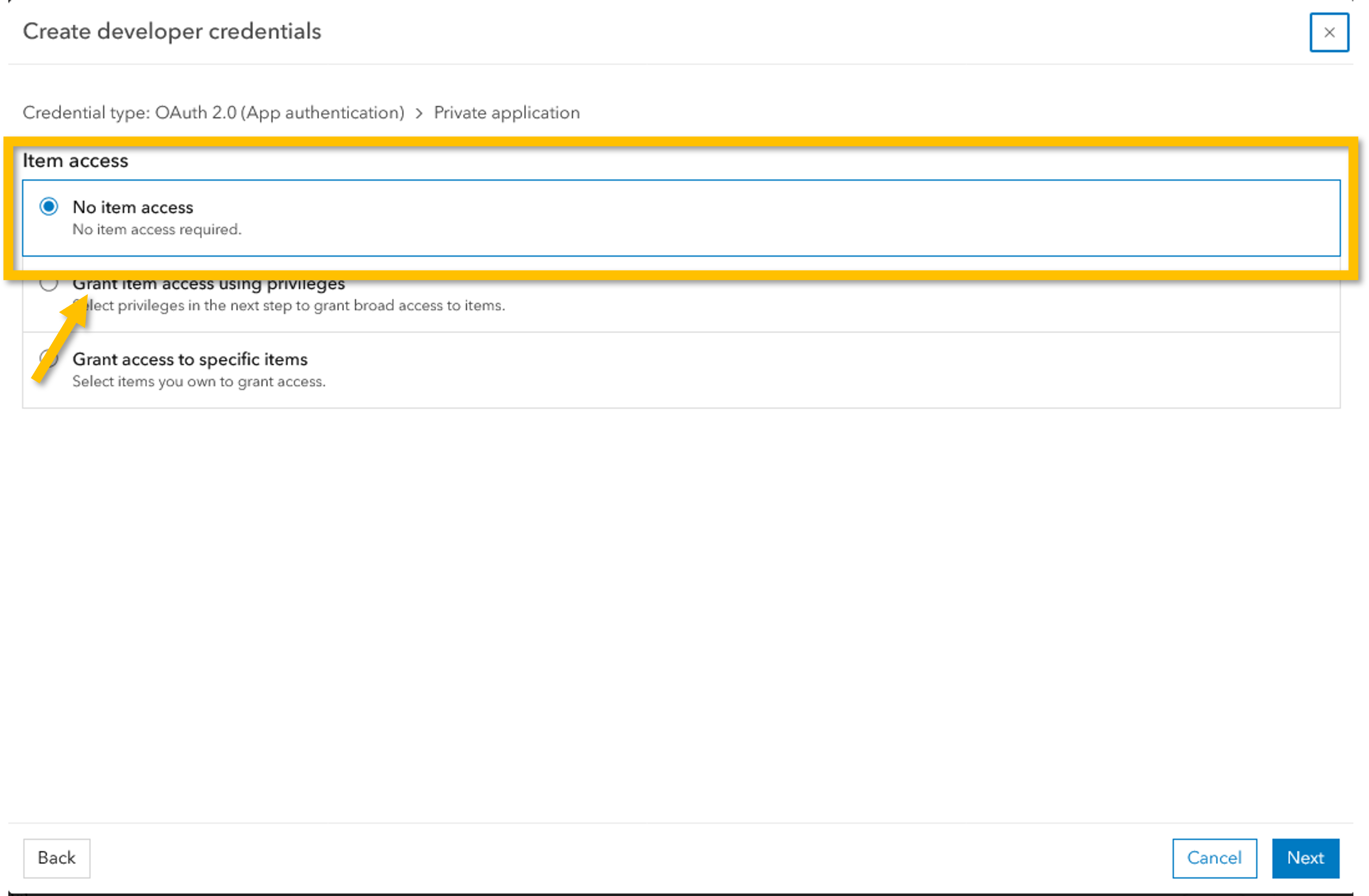
5. Select **No item access**. This script reads no items; for your own app, grant access only to the items it needs.
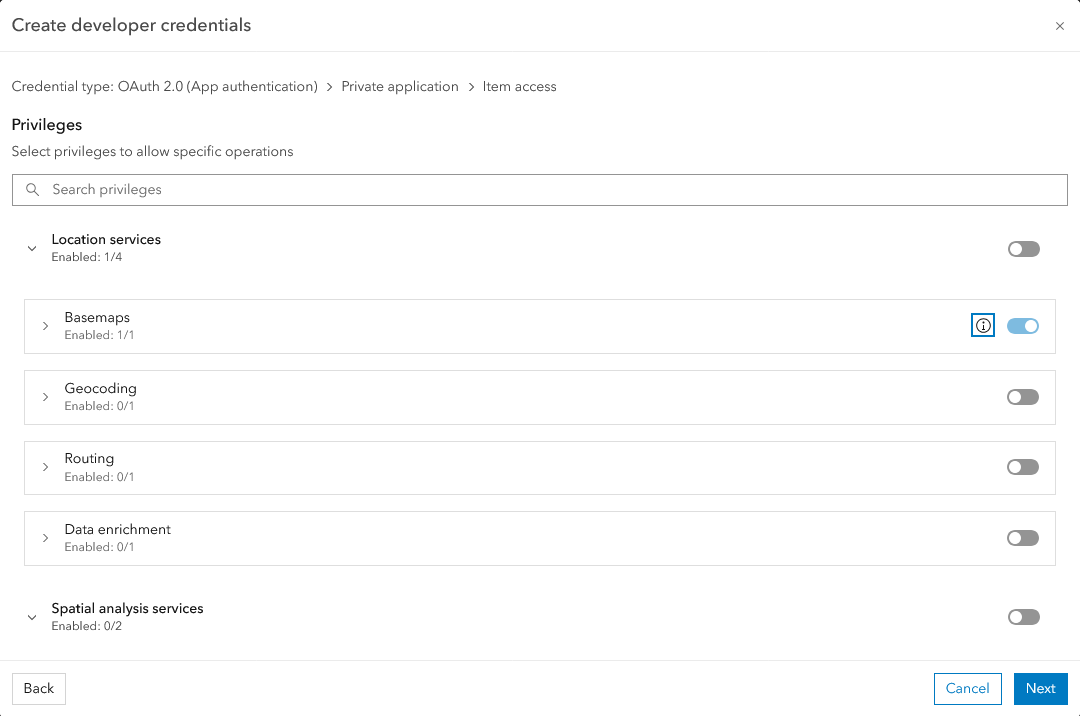
6. Leave the privileges off. This script needs none; for your own app, enable only the ones it calls.
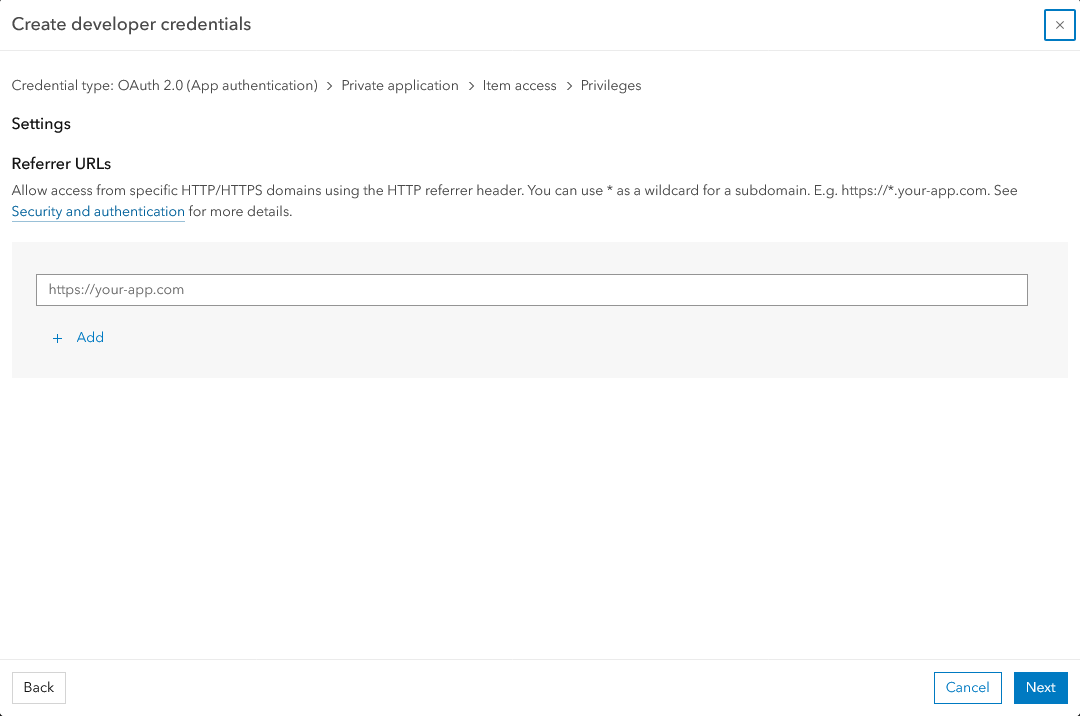
7. Leave the referrer URLs empty. A backend script doesn't need them: they help only when the token ends up in a web browser.
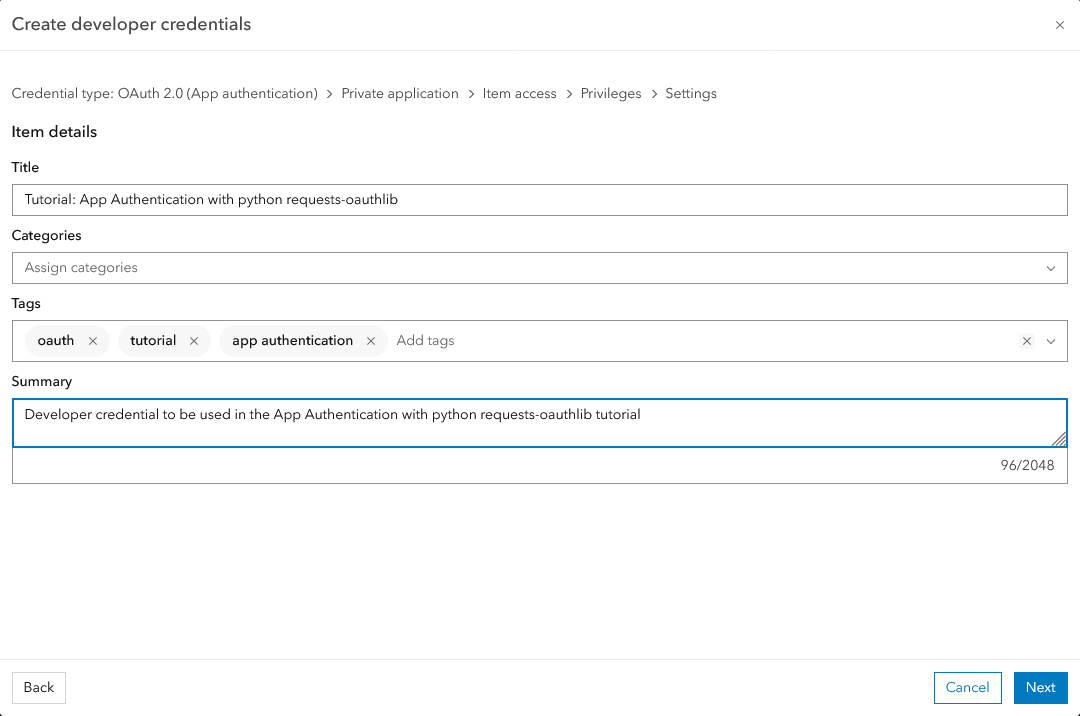
8. Fill in the item details.
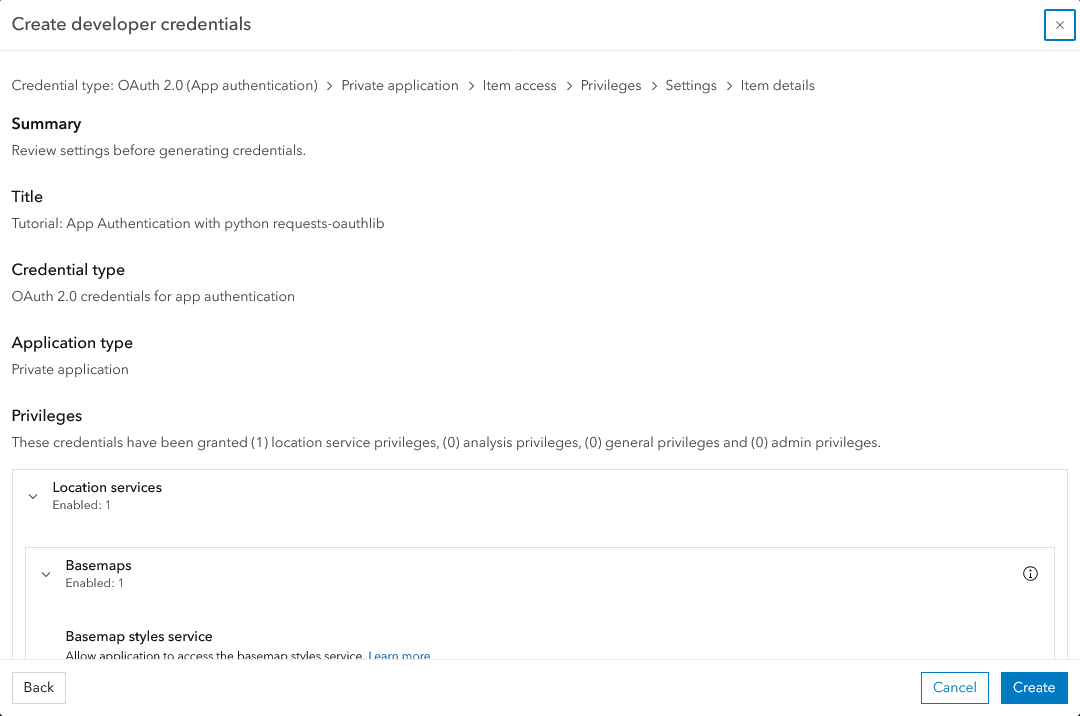
9. Review the summary and create the item.
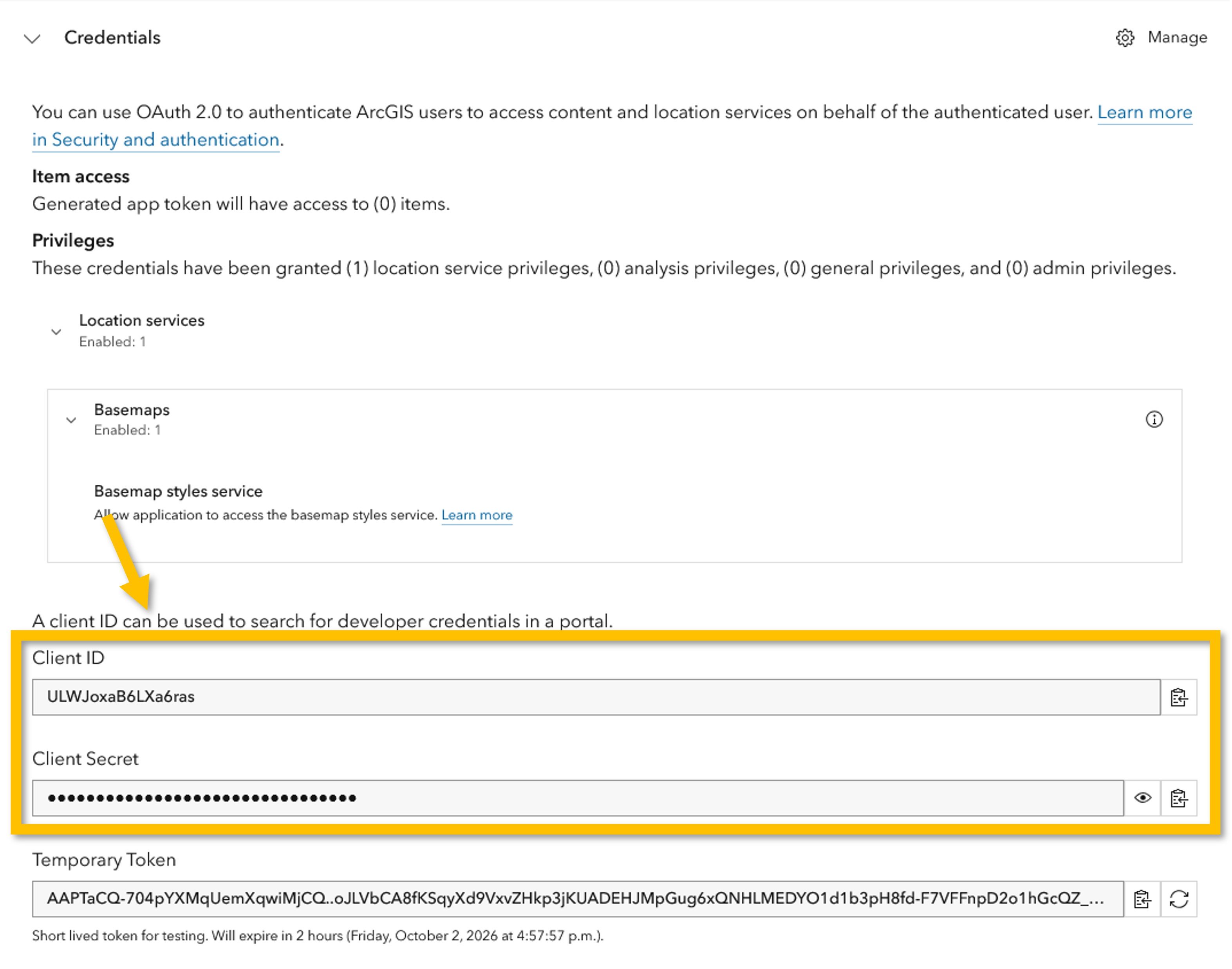
10. Copy the **Client ID** and the **Client Secret**.
## Install the package
`@esri/arcgis-rest-request` signs you in and sends the requests. Run `npm install` in the project folder.
```json title="code/package.json" region="/dependencies"
"dependencies": {
"@esri/arcgis-rest-request": "^4.11.0"
}
```
## Import the functions
The script uses:
* `ApplicationCredentialsManager`: to sign in with app credentials
* `request`: to call the REST API with the token
```javascript title="code/app-auth.mjs" region="imports"
// Import the functions
import { ApplicationCredentialsManager, request } from "@esri/arcgis-rest-request";
```
## Configure the script
Paste the client ID and the client secret from the credentials item:
- **Set your Client ID:** (`client_id`)
- **Set your Client Secret:** (`client_secret`)
> **The client secret is as sensitive as a password.** Keep it in server-side code only, and out of your repository: in production, read it from the environment or a secret manager.
Authenticating against ArcGIS Enterprise?
If you created the credentials in ArcGIS Enterprise, set the portal host and web adaptor, without `https://`:
- **Portal URL** (`portal_url`)
```javascript title="code/app-auth.mjs" region="config"
// Configure the script
const settings = {
clientId: "",
clientSecret: "",
portalUrl: "www.arcgis.com",
};
```
## Sign in as the application
`ApplicationCredentialsManager.fromCredentials` takes the client ID, the client secret and the portal's REST URL: the portal URL followed by `/sharing/rest`. It sends no request yet.
```javascript title="code/app-auth.mjs" region="sign-in"
// Sign in as the application
const authentication = ApplicationCredentialsManager.fromCredentials({
clientId: settings.clientId,
clientSecret: settings.clientSecret,
portal: `https://${settings.portalUrl}/sharing/rest`,
});
```
## Request a token
`getToken` sends `grant_type=client_credentials`, `client_id` and `client_secret` to the portal's `oauth2/token` endpoint, and stores the token and its expiration in `token` and `expires`.
The token lasts two hours by default. Later calls to `getToken` return the stored token until it expires, then request a new one with the client secret: a long-running job needs no refresh logic of its own.
```javascript title="code/app-auth.mjs" region="token"
// Request a token
const token = await authentication.getToken();
console.log("Access token:", token);
console.log("Expires:", authentication.expires.toISOString());
```
## Make a request
Pass `authentication` to `request`, or to any other REST JS function: it calls `getToken` and adds the token to the request.
The script calls [portals/self](https://developers.arcgis.com/rest/users-groups-and-items/portal-self/), which returns the application's title and the privileges of its token, among other details.
```javascript title="code/app-auth.mjs" region="request"
// Make a request
const portalInfo = await request(`${authentication.portal}/portals/self`, {
authentication,
});
console.log(`Title: "${portalInfo.appinfo.appTitle}"`);
console.log("Has the following privileges:");
for (const privilege of portalInfo.appinfo.privileges) {
console.log(`\t- ${privilege}`);
}
```
## Run the script
Run `node app-auth.mjs` (or `npm start`). It prints the token, its expiration, the title of the credentials item and the privileges of the token.
```javascript title="code/app-auth.mjs" region="request"
// Make a request
const portalInfo = await request(`${authentication.portal}/portals/self`, {
authentication,
});
console.log(`Title: "${portalInfo.appinfo.appTitle}"`);
console.log("Has the following privileges:");
for (const privilege of portalInfo.appinfo.privileges) {
console.log(`\t- ${privilege}`);
}
```
Your script authenticates as an application. To act on behalf of your users instead, [sign them in with OAuth 2.0 in a browser app](../arcgis-js-sdk-user-auth/).
## Final code
### code/app-auth.mjs
```javascript title="code/app-auth.mjs"
// Authenticate a backend script with OAuth credentials (app authentication).
// Run: node app-auth.mjs
// Import the functions
import { ApplicationCredentialsManager, request } from "@esri/arcgis-rest-request";
// Configure the script
const settings = {
clientId: "",
clientSecret: "",
portalUrl: "www.arcgis.com",
};
// Sign in as the application
const authentication = ApplicationCredentialsManager.fromCredentials({
clientId: settings.clientId,
clientSecret: settings.clientSecret,
portal: `https://${settings.portalUrl}/sharing/rest`,
});
// Request a token
const token = await authentication.getToken();
console.log("Access token:", token);
console.log("Expires:", authentication.expires.toISOString());
// Make a request
const portalInfo = await request(`${authentication.portal}/portals/self`, {
authentication,
});
console.log(`Title: "${portalInfo.appinfo.appTitle}"`);
console.log("Has the following privileges:");
for (const privilege of portalInfo.appinfo.privileges) {
console.log(`\t- ${privilege}`);
}
```
### code/package.json
```json title="code/package.json"
{
"name": "oauth-app-rest-js",
"private": true,
"type": "module",
"scripts": {
"start": "node app-auth.mjs"
},
"dependencies": {
"@esri/arcgis-rest-request": "^4.11.0"
}
}
```
### code/.gitignore
```text title="code/.gitignore"
node_modules/
```